Measure the campaign without mixing the numbers
A useful report keeps definitions, denominators and uncertainty beside the result.
Decide what the report must answer
A campaign can be widely seen and produce few visits. It can also deliver a small audience with useful downstream actions. Neither result makes sense without the original objective. Before publication, choose the question, the observation period and the source of evidence.
Write those decisions on the reporting sheet. Keep a column for what is unavailable. A missing creator screenshot is missing evidence, not a zero. A sale that happened during a campaign is not automatically a sale caused by it.
Keep the definitions attached
For each number, record its platform definition, date range, account or post scope, and whether it is paid, organic or combined. Export what you can and save the report settings. This makes a later comparison possible when a dashboard changes.
YouTube's thumbnail impressions are a defined platform metric, not a count of every possible encounter with a video. Its documentation specifies visibility conditions and excludes some placements, including external websites and apps. Read the YouTube impressions and watch-time documentation before comparing an impression count with views.
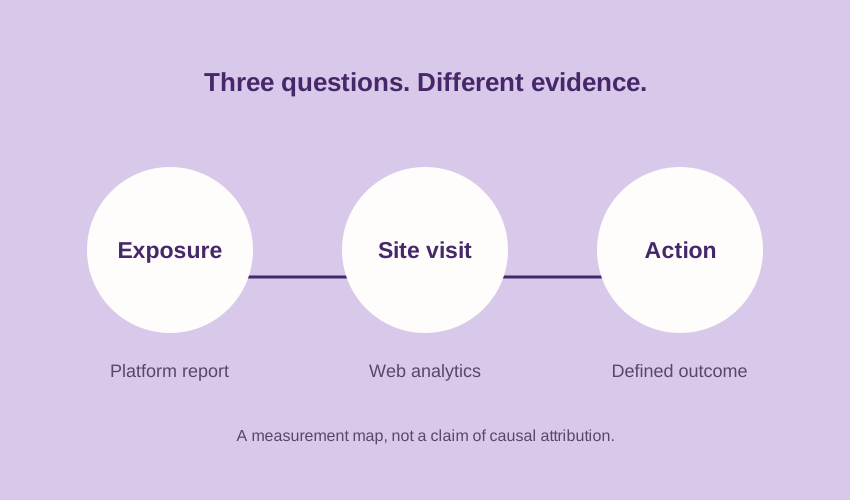
| Question | Evidence to request | Limit to retain |
|---|---|---|
| Was the content encountered? | Relevant platform exposure metrics, with definitions | Platforms count different events. |
| Did the content send visits? | Tagged landing-page traffic in web analytics | Clicks and recorded visits are different events. |
| Did a useful action happen? | A named, verified event or business record | Association alone does not establish causation. |
Label the links before launch
Google Analytics documents campaign parameters such as utm_source, utm_medium and utm_campaign. It also supports utm_content to distinguish creatives. The values are case-sensitive; inconsistent names can split a campaign across rows. See Google's campaign URL guidance.
Create a naming sheet and ask one person to check it. Keep the platform and medium consistent, then use a creative identifier to distinguish the creator or placement. Avoid names, email addresses or other personal data in URL parameters. Open each finished link and confirm that the destination, offer and measurement setup match the brief.
utm_source=youtubeutm_medium=paid_socialutm_campaign=refill_launchutm_content=creator_a_demo
This is an example naming plan, not a live link or an assurance that a particular Analytics property will group the traffic correctly. Check your property's configuration.
Show the denominator
“Engagement rate” is incomplete without a formula. Interactions divided by reach, views or followers answer different questions. Write the numerator and denominator next to the percentage. Do not compare rates computed with different bases as if they measured the same thing.
In a fictional example, 48 link clicks divided by 2,400 recorded impressions equals 2%. That arithmetic is clear, but its interpretation still depends on the two metrics' scope. It is not a benchmark, a conversion rate or proof that 2% of unique people clicked.
When combining several posts, sum compatible numerators and denominators before calculating a rate. An unweighted average gives a tiny post the same influence as a much larger one. Do not sum estimated unique audiences across creators and call the result deduplicated reach.
Finish with an evidence-bounded decision
Close the report with three short statements: what was observed, what remains unknown, and what you will change next time. For example, a tagged-visit result can support a decision about the landing page or call to action. It cannot, by itself, establish incremental sales.
If incremental impact is the actual question, a comparison design and reliable business measurement are needed. Keep that question separate from a descriptive creator report. A small, honest report is more useful than a confident conclusion its data cannot support.
Sources and scope
Primary documentation checked 8 November 2026: YouTube: thumbnail impressions and watch time; Google Analytics: campaign URL parameters. Reporting structure and fictional arithmetic example are editorial guidance. Platform definitions can change.